
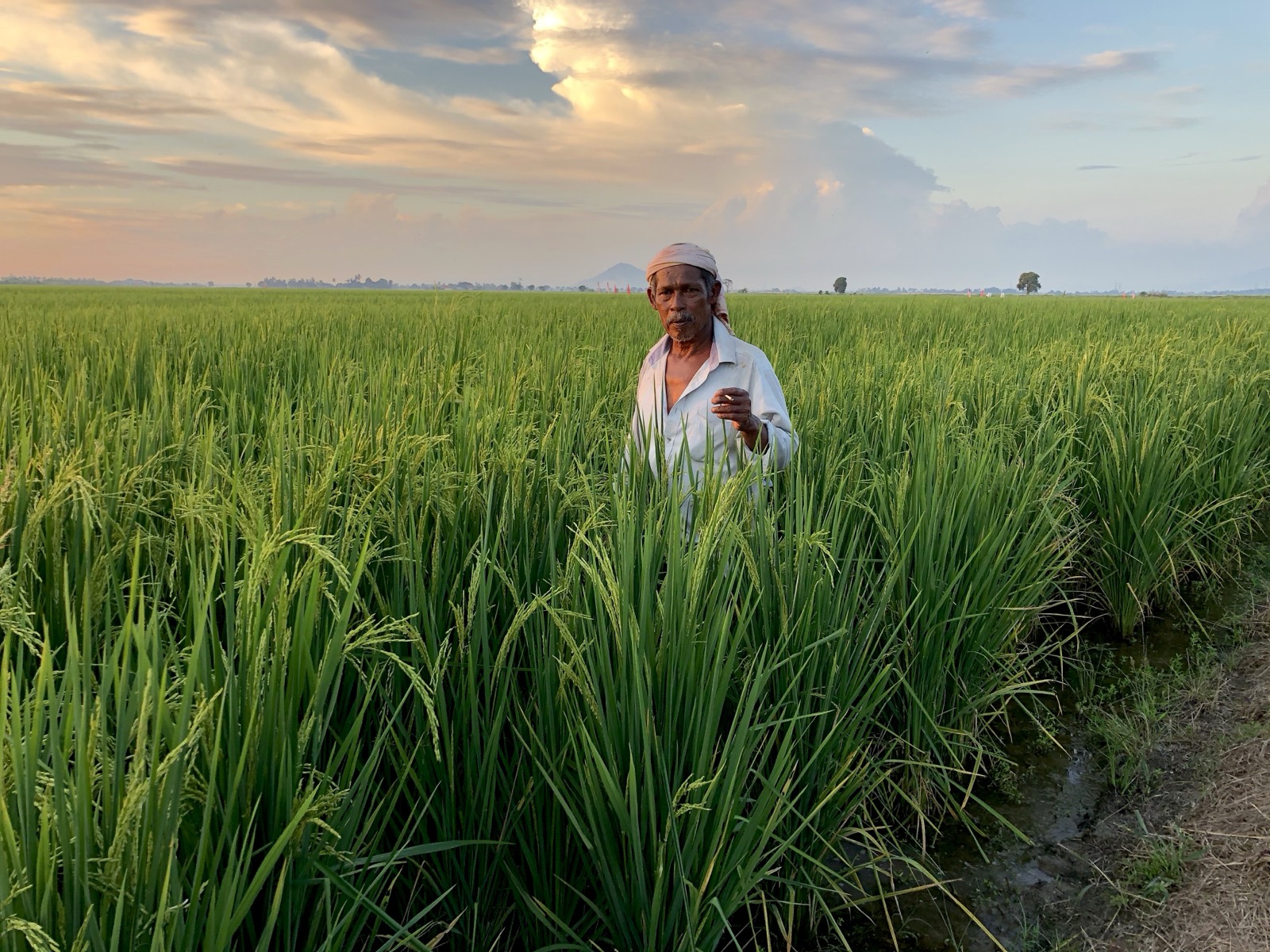
Buku Padi — for farmers
- Multi-platform, multi-device app which acts as a farming advisor, manager & scheduler.
- Extremely simple and intuitive.
- Intelligently helps farmers make better decisions.
- Keeps farming data for future reference.
Free Download
- Android Single User Version (iOS coming soon)
- Soon Multi-User Version coming soon
How does it work?
-
Identify your plot
Mark your plot’s location, set its size and give it a name.
-
Set the parameters for the planting season
- Rice variety
- SOP (following Rice Check)
- Planting date
- Broadcast or transplant
-
Repeat for each plot — and you’re done!
Buku Padi will calculate everything you need to do for a successful planting season. It will even work out your material requirements and allow you to keep track of your store inventory.
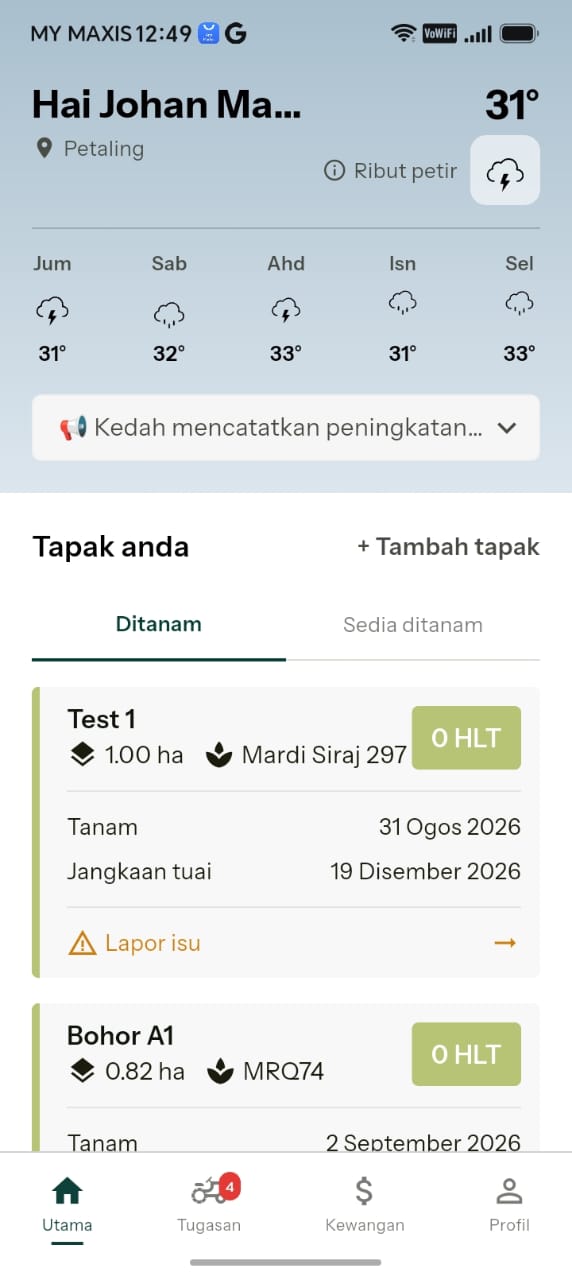
The Buku Padi home screen — weather, your plots and what’s due next.
Setting up
Setting up is a one-time job. Tell Buku Padi who you are and where your plots are, and it never has to ask again.
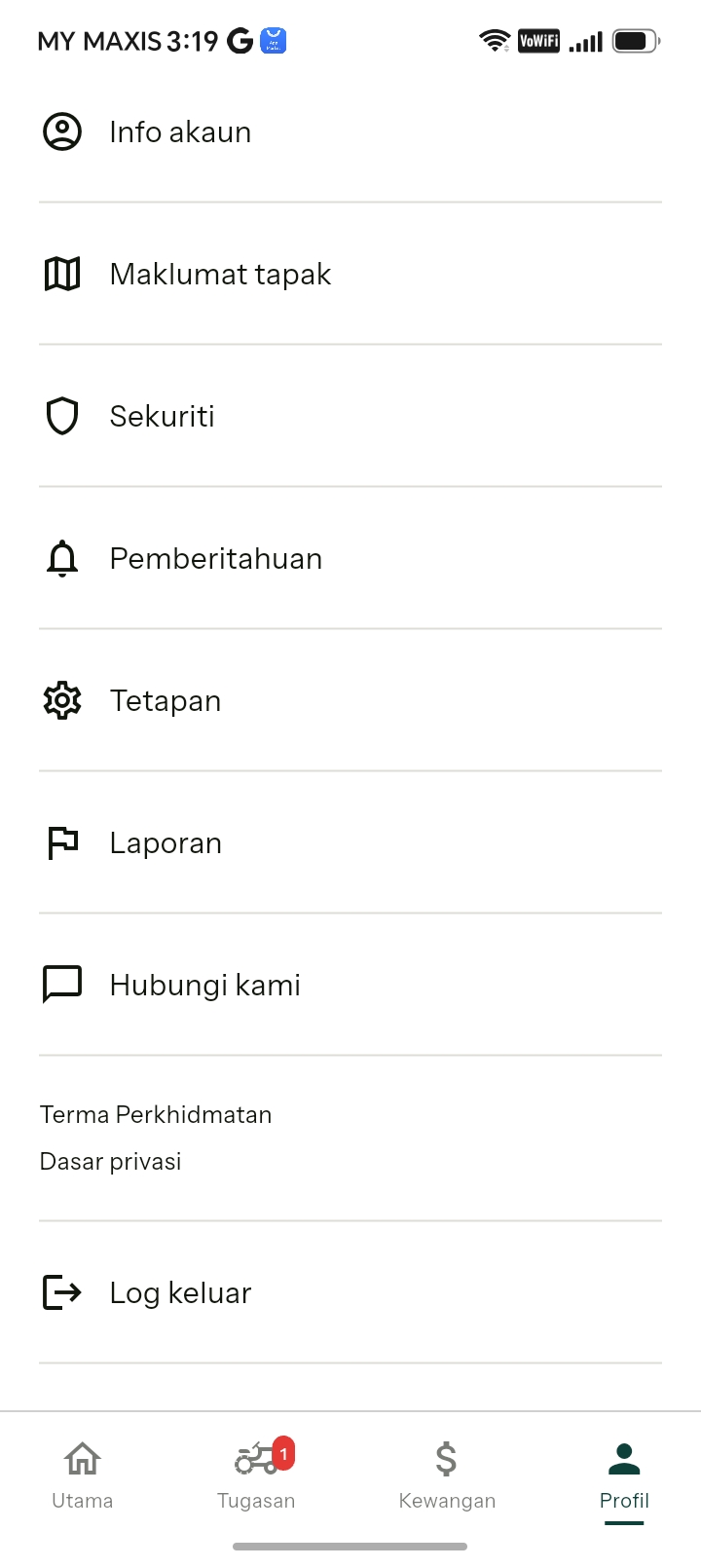
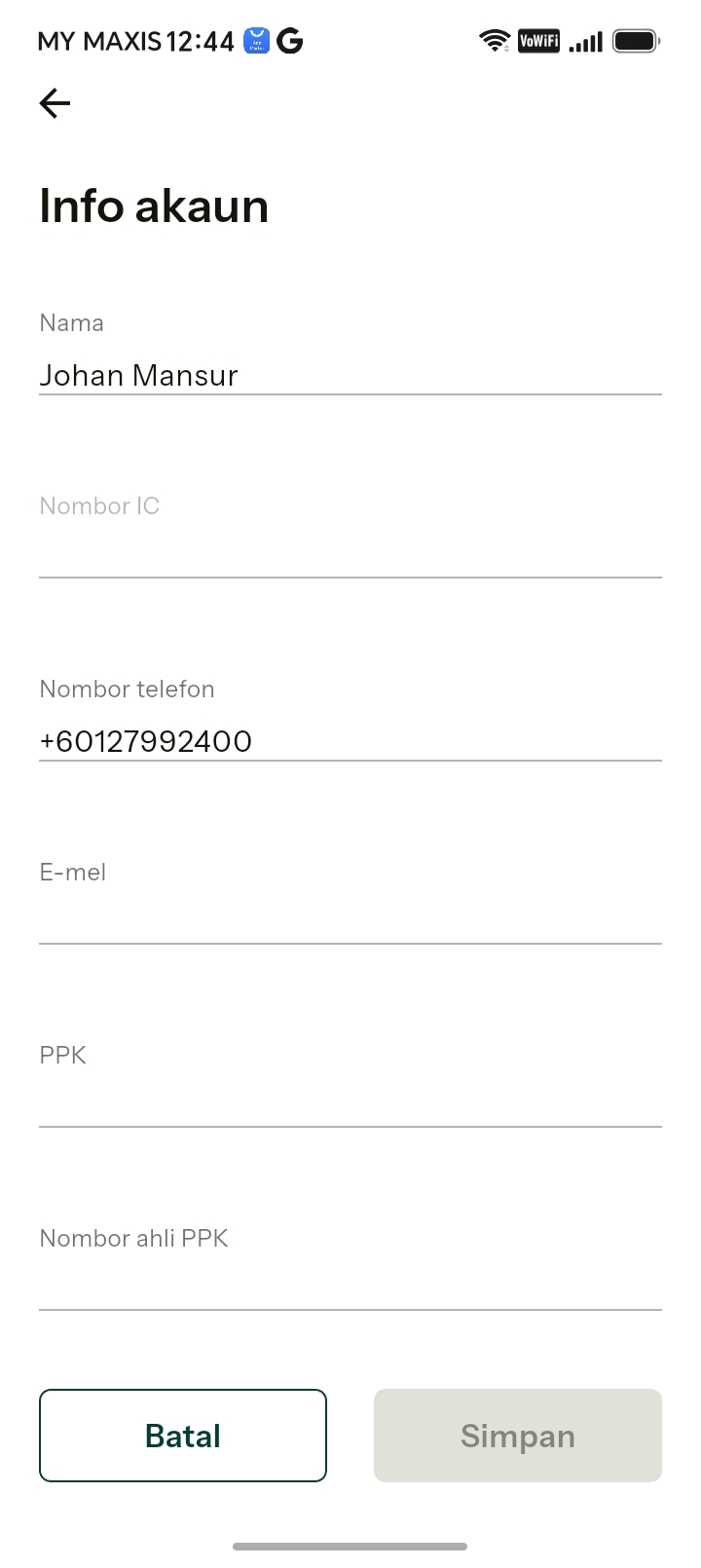
Set up your profile
You can put your details in this section. This will be useful in a variety of ways, especially for upcoming features of the software.
Your privacy. The app will be fully PDPA compliant and we maintain full privacy at all times.
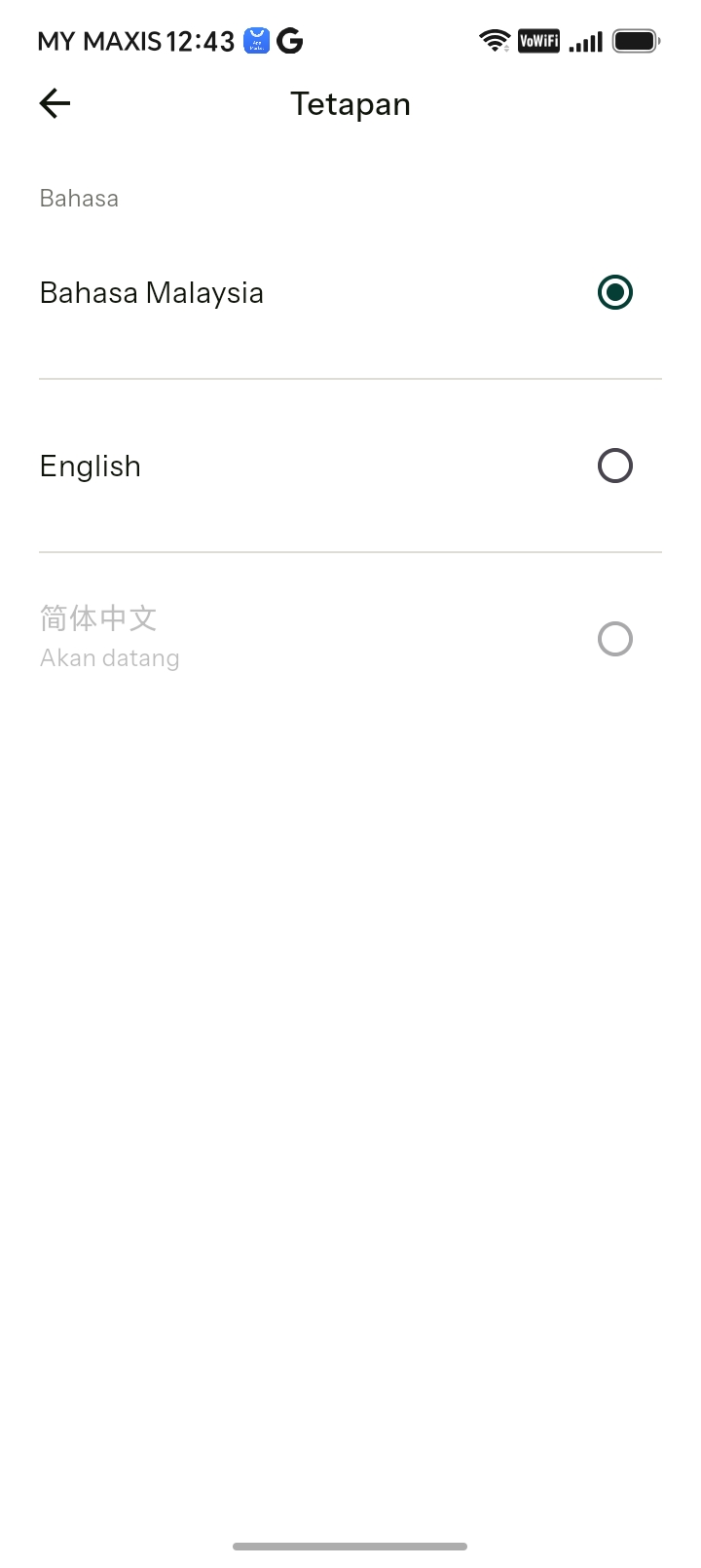
Choose your language
Select your preferred language — Bahasa Malaysia or English.
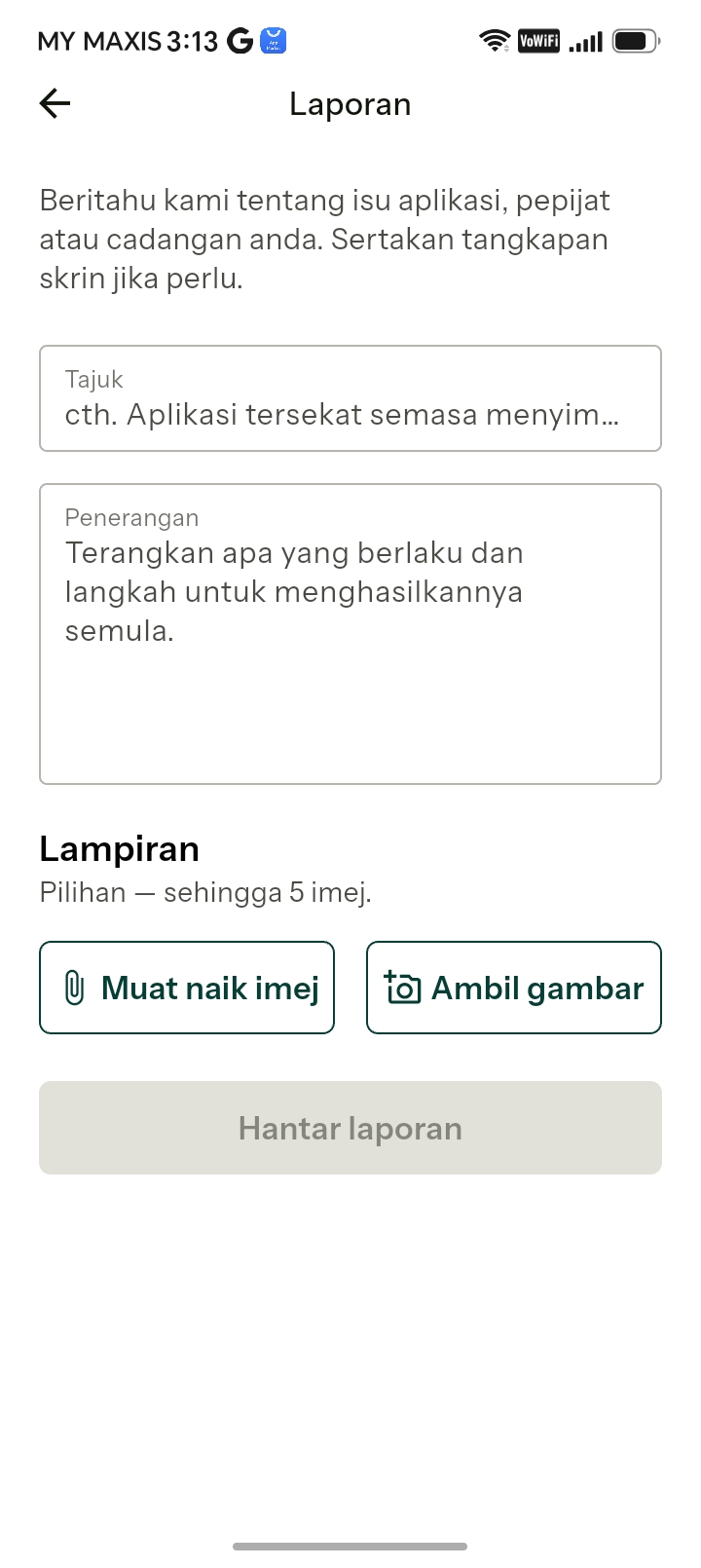
Tell us when something breaks
If you find any issues with the app, please use the report option to send us a report and help us fix it as quickly as possible.
Set up your plots
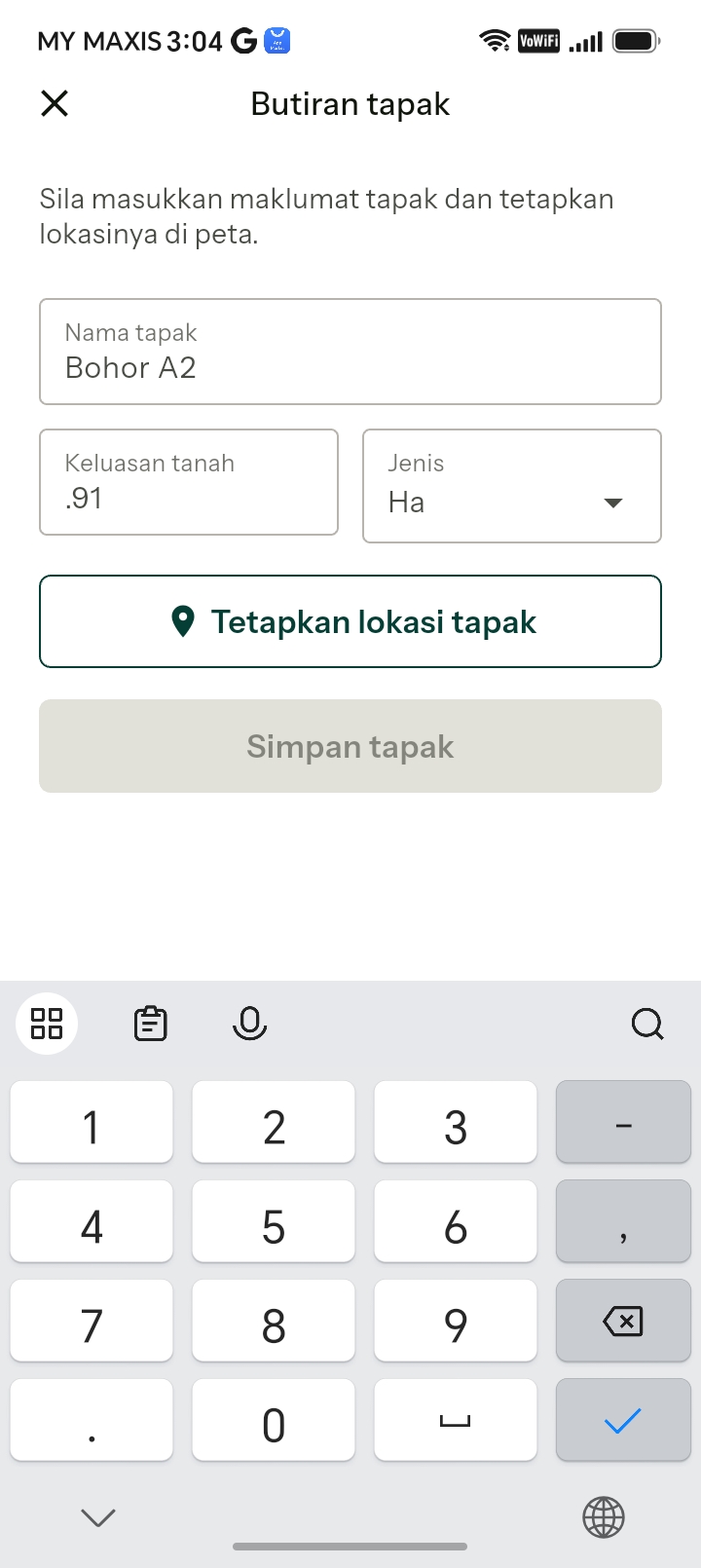
Adding a plot is a one-time task. Your farm will have individual plots and the first step is to identify them and put in specific details about each plot:
- Name — what you call it, so you can identify it in the task list.
- Size — in hectares, acres or relung. Getting this as accurate as possible ensures every rate the app calculates is accurate too.
- Location — this tells the app where the plot is, so it can help you with weather, pest & disease alerts and more.
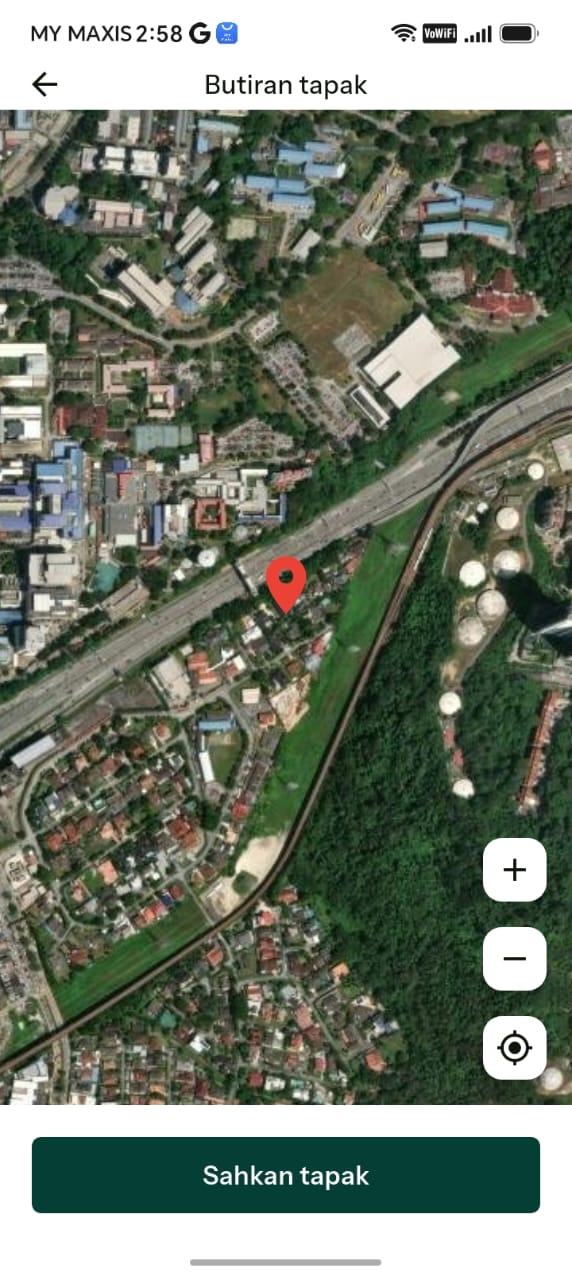
Click Locate Plot to geolocate it. It is easier to do this standing next to, or in, your plot because the app will automatically geolocate your phone to help you. You can also do it from elsewhere, but you will need to find your plot on the map.
Geolocate the plot
Move the map around until the red marker is directly over your plot, then click accept.
Your plot is now set up!
This location feature will help in future updates to provide you with many more features.
Plan your farming season
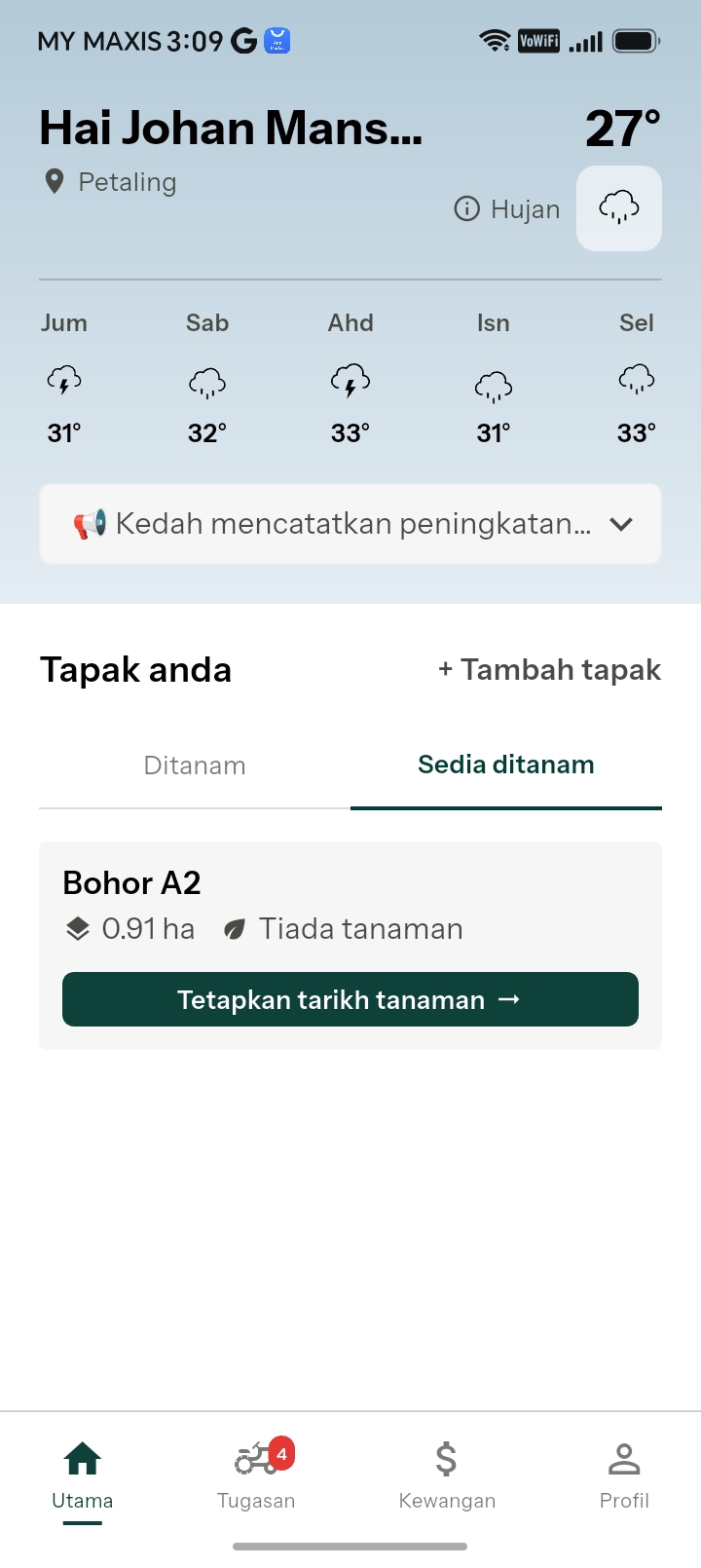
Start a season
Click on Home at the bottom of the app to go to the Home Screen. Notice that there are two tabs: Planted and Ready to Plant plots.
At this point you have set up the plots but have not selected the planting season, so your plots will be classified under Unplanted. Click Set New Season to create all the tasks for your upcoming season.
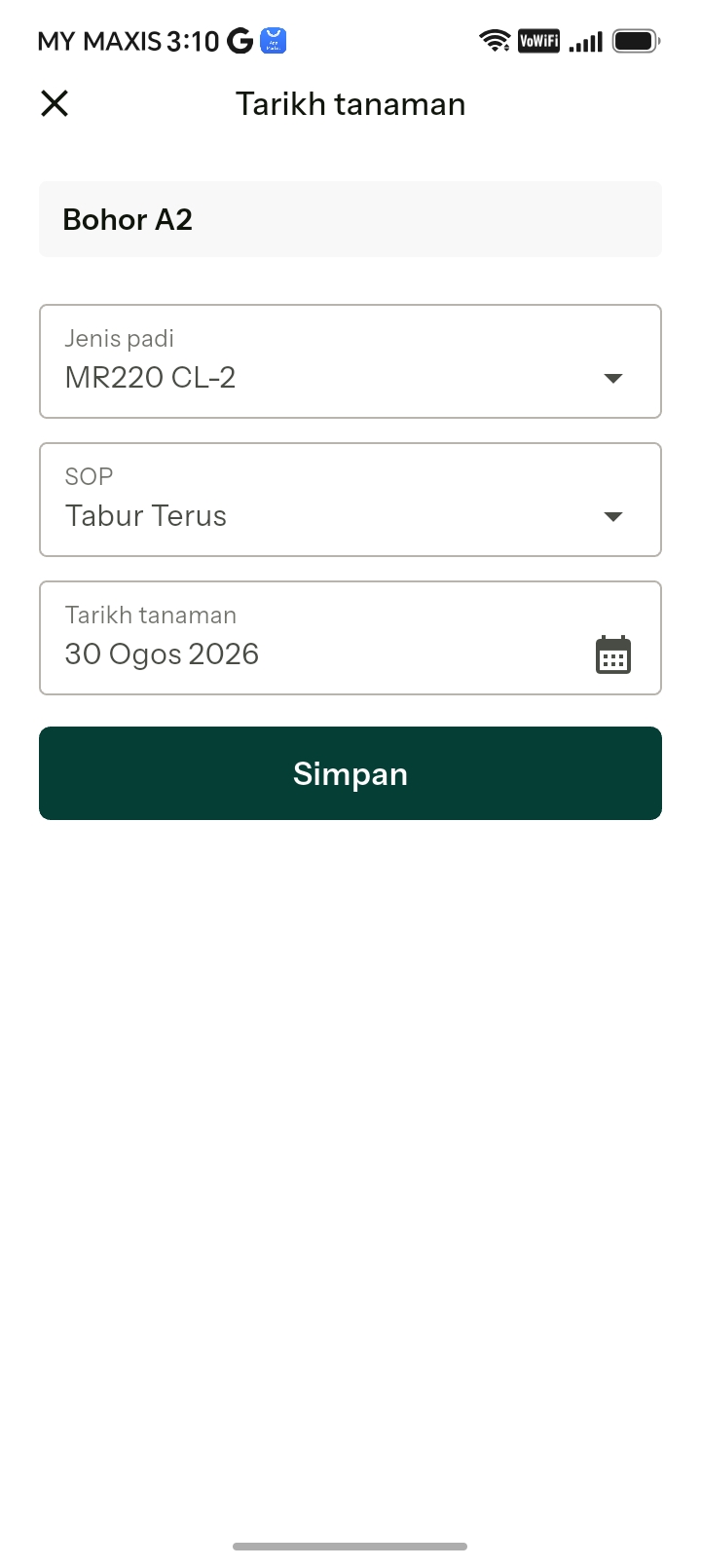
Select the variety you are planting
Selecting the variety allows the system to pull the maturity time of that variety from its database.
The app has our own proprietary algorithm to adjust timings according to its own clock. This then allows the system to adjust all tasks correctly according to the stage the plant will be at.
Then select how you want to plant — broadcast or transplant — and the planting date, and save. Now you’re all set!
Tasks for your farming season
Calculating all the tasks required for a single plot in a season is tedious and time consuming work, prone to arithmetical errors which can seriously impact results. Farmers typically have many plots and simply working this out is a major challenge.
Buku Padi streamlines all of this for you, accurately and instantly. It even calculates all your material requirements dynamically, to easily highlight what you need for the season.
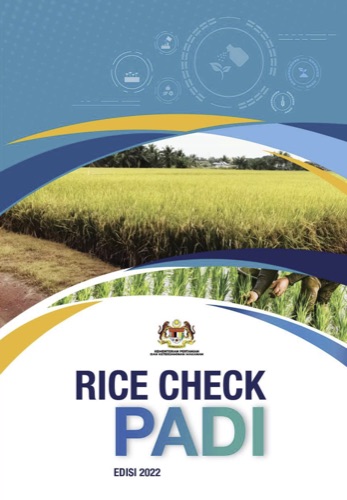
Rice Check Compliant Every scheduled task follows the Rice Check SOP.
Your task list
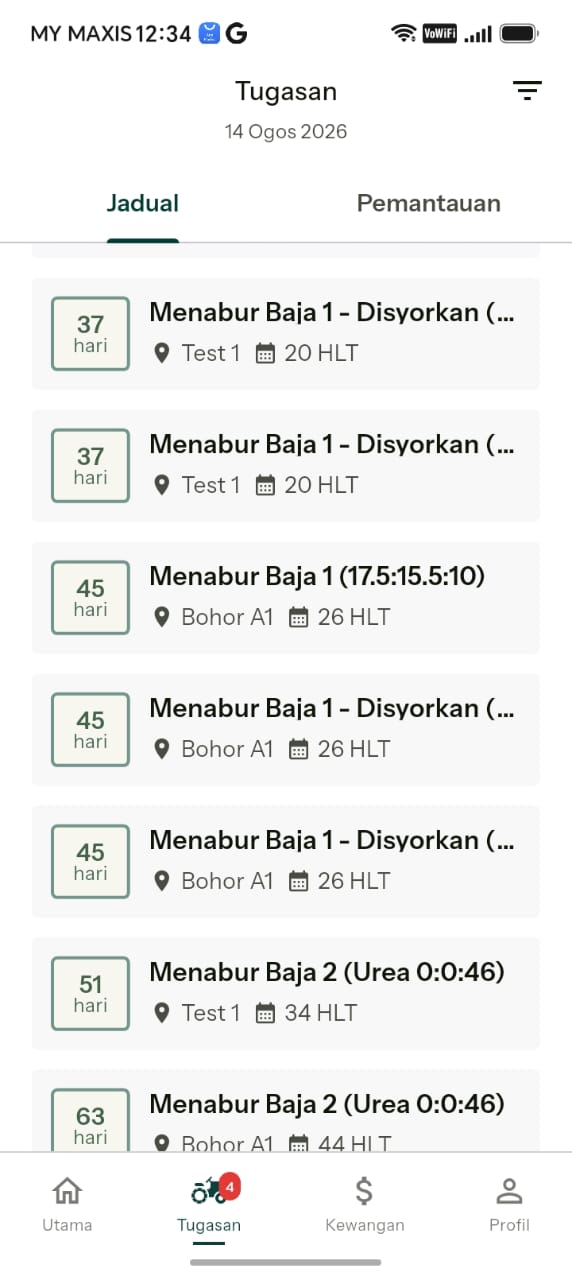
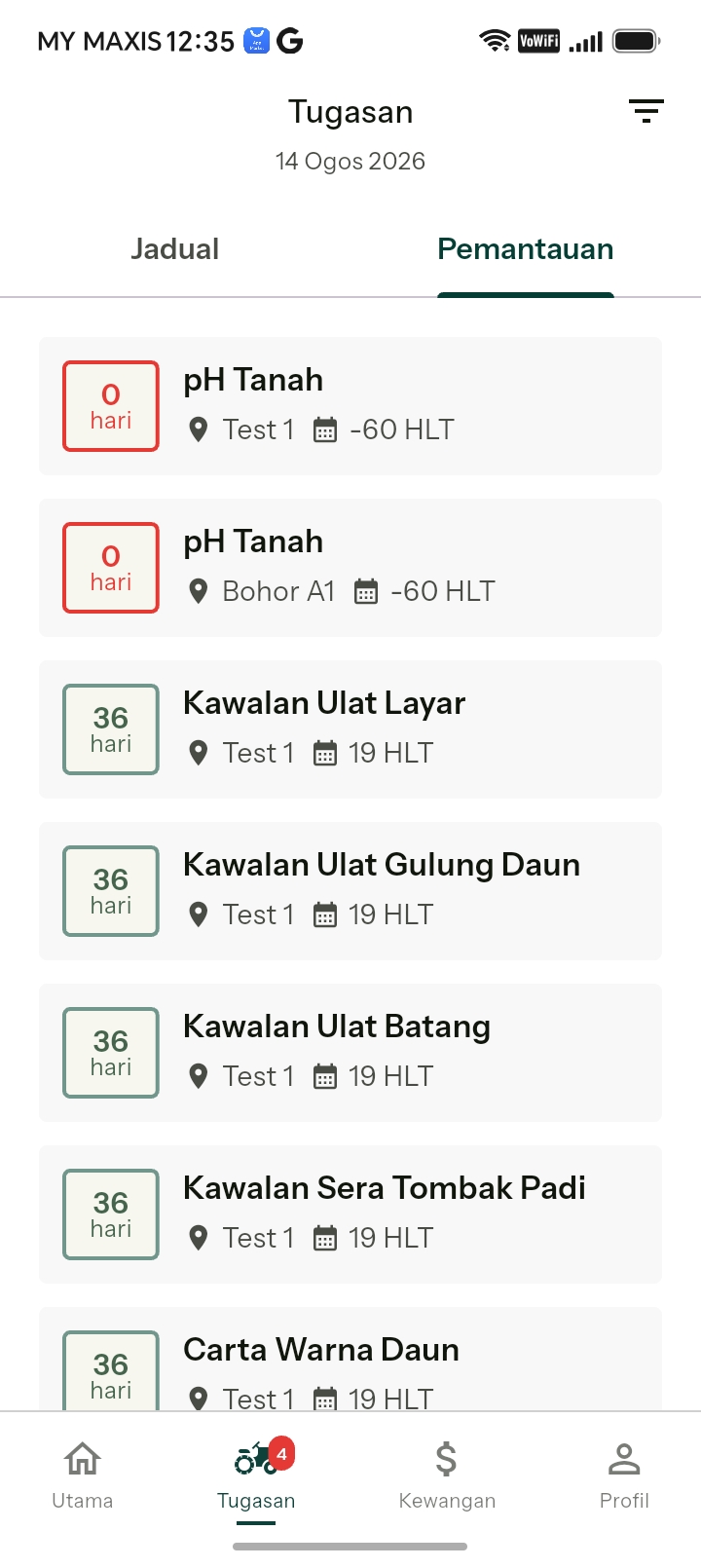
Click on Tasks at the bottom of the app. The system will generate an entire list of all the tasks to be done, divided into two tabs at the top of the screen: Scheduled Tasks and Monitoring Tasks.
All tasks will include the following information:
- The name of the plot and the task
- The date (or range of dates) for the task
- Quantity of input (if required) necessary for the task
- The HLT of the date, for your reference
Scheduled Tasks
These are the tasks the SOP recommends should be done as per the details above for best results. Once these are done, they are dismissed and don’t need to be repeated.
Monitoring Tasks
Monitoring tasks can be highlighted by clicking the tab at the top right of the screen. These tasks involve performing a check. If the check shows a certain result, this may require an additional task to be performed — an Unscheduled Task.
For example: check for leaf folder insects. If present, an additional task may be required.
Monitoring tasks differ slightly from scheduled tasks in that even though they have been performed today, they recur through a date range. You may have to check daily early in the season for snails in your plot. Tasks can also be filtered by pressing the filter button at the top of the screen.
Checking off your scheduled tasks
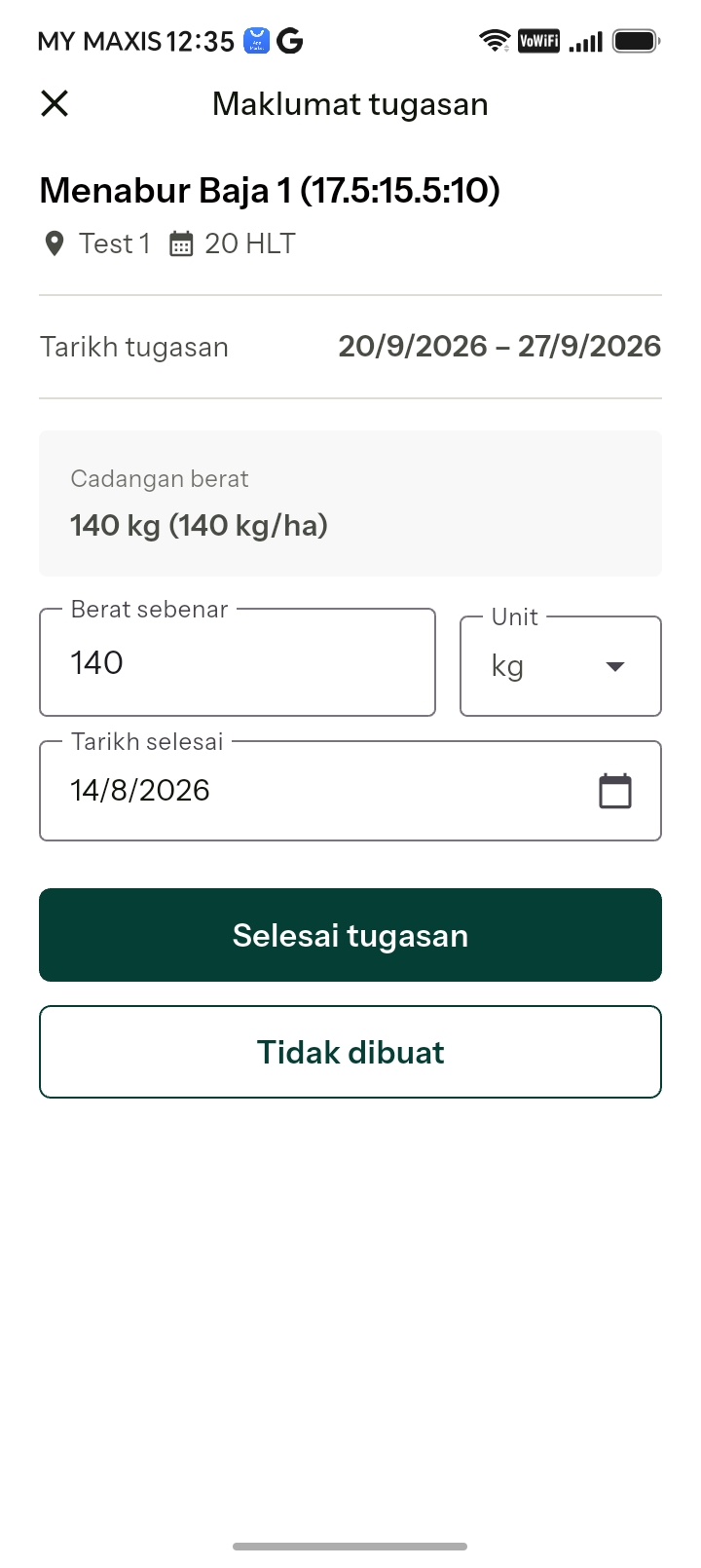
Clicking on a task will pull up a window with more details. For example, clicking on Apply Fertiliser 17.5:15.5:10 in the task list will pull up the screen shown here.
In this case it shows the recommended amount of fertiliser to be applied (140 kg/ha, or whichever units you have selected). It also shows you the date it should be done. The default date on the screen will be today, assuming you record this on the day you perform the task.
If you are going to apply a different quantity of fertiliser for any reason, simply input the amount you actually applied. The system may recommend 145 kg but you may only have 7 bags, or 140 kg. Simply record what you applied.
If for any reason you elect not to perform this task, simply record that by pressing the button.
Buku Padi will record this for you, and this data will be very useful for a variety of reasons including managing your costs and establishing your profit and loss. It will also help you keep track of material usage and requirements.
Once you have checked a task off, Buku Padi removes it from your task list and records it to your plot history.
Checking off monitoring tasks
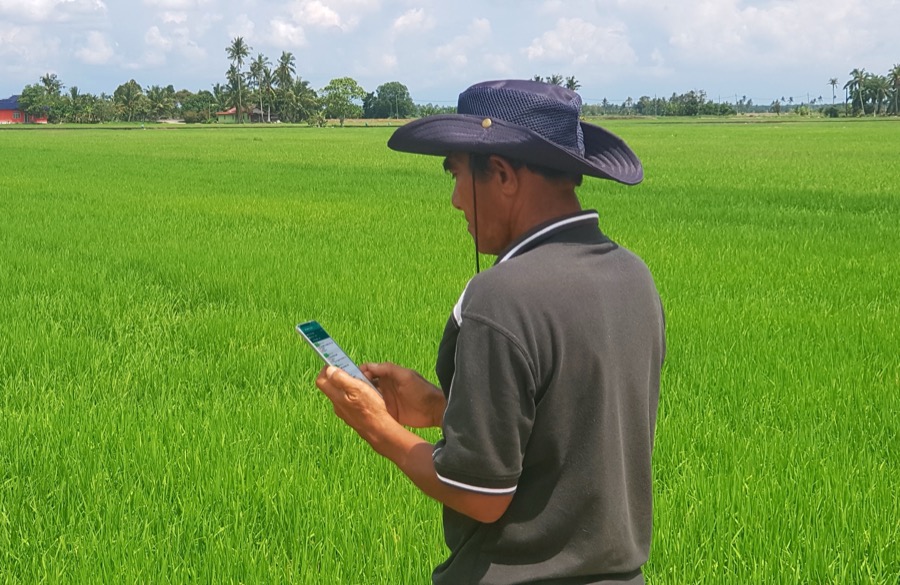
Monitoring tasks work in much the same way, except that they may recur tomorrow even though you have performed that task today.
For example, there will be periods in the season where the plants will be susceptible to certain pest & disease attacks and these require daily checks. If the check is performed today, it may need to be done again tomorrow.
If a plot tests positive for any check, an additional task may need to be done — for example the spraying of an insecticide resulting from discovering an insect attack.
Future versions of Buku Padi will help you diagnose any issue and also suggest appropriate treatments.
This can assist farmers in multiple ways, especially for any compliance requirements. The app will be fully PDPA compliant.
Reporting issues
Why report issues?
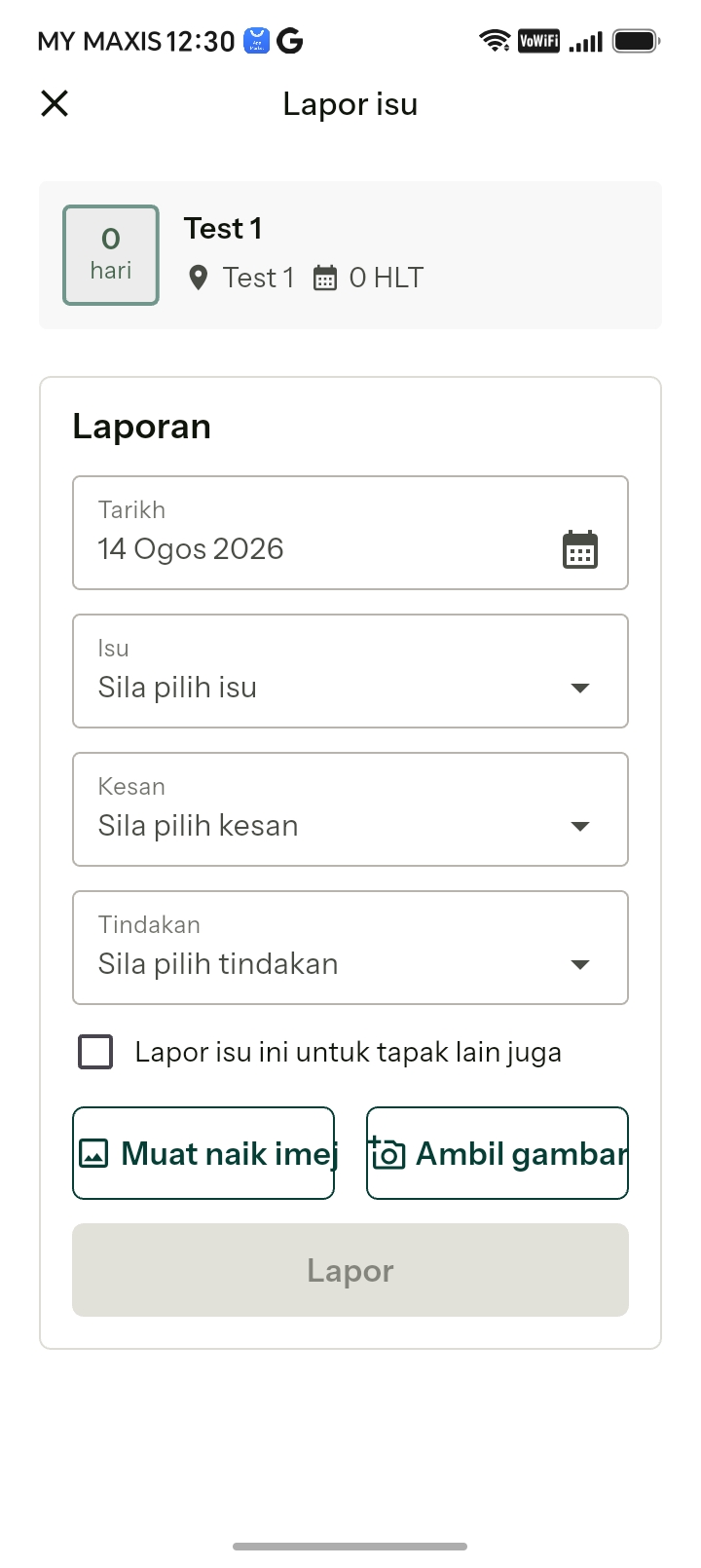
You can report issues — whether pest & disease, weather or anything else that may have an effect on yield — by clicking the Report Issue button on a specific plot.
Buku Padi makes it easy, and each report stores the following details on our servers:
- Date and time
- Location
- Weather at the time and place
- Any details you enter, including photos
This data:
- Will help you make any claims in the future and is an easy way to provide evidence that an event happened.
- Will keep track of events which may contribute to a yield and income reduction.
- Will help us remind you which specific agro-chemicals you have been using, and how not to overuse one type, which leads to the issue developing immunity to the solution.
- If you allow us, can be passed on to research institutions to help them find patterns and methods to address the issue better in future.
- Can be shared with other farmers to give them forewarning, and with the relevant authorities for appropriate assistance.
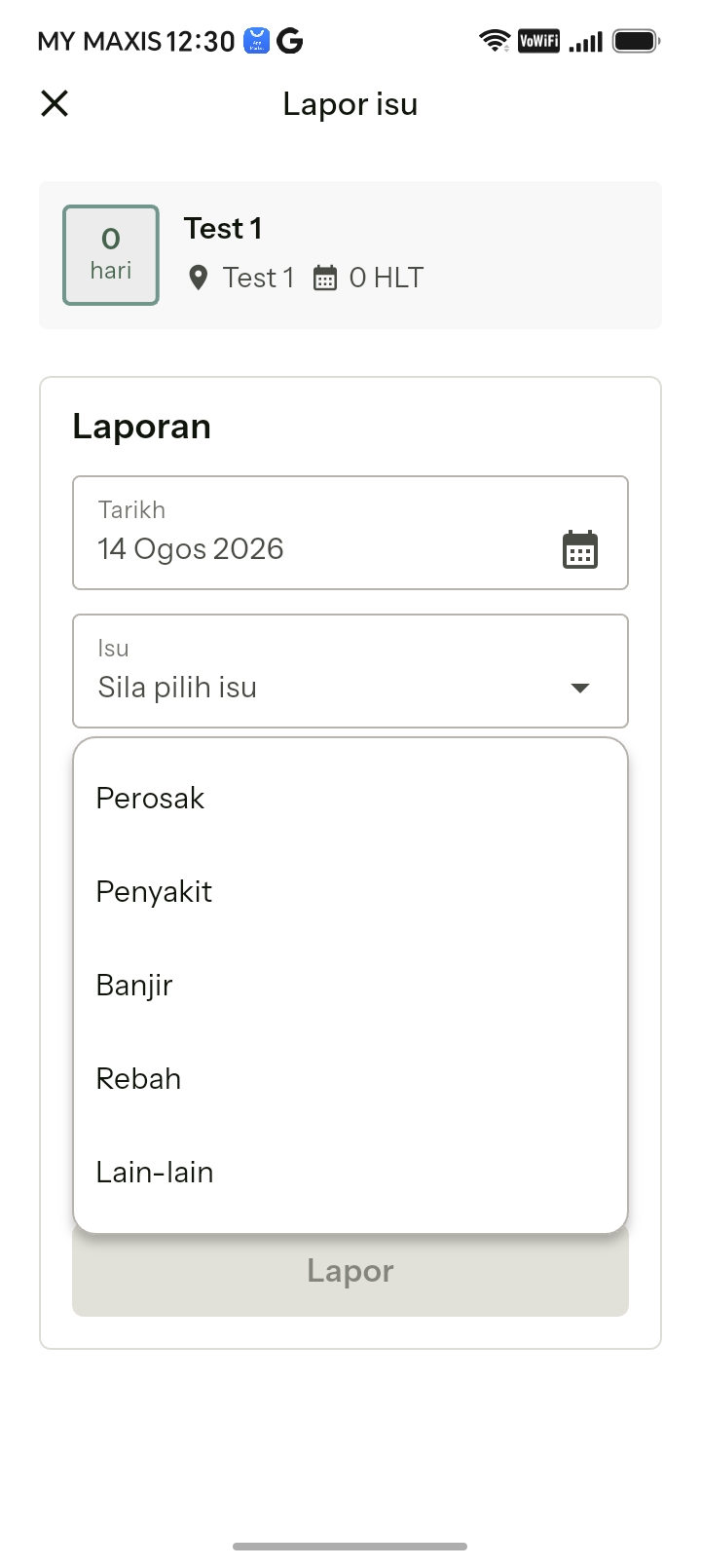
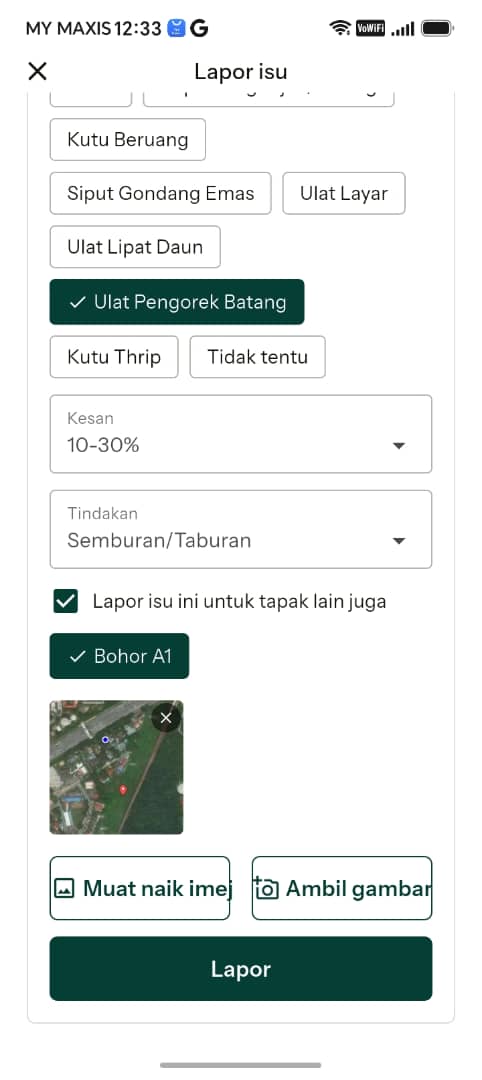
The Report Issue screen
Date of the report
Ideally reports should be made immediately upon discovering them, so the system automatically selects the current date. You can change this if required.
Issues
The issues are grouped into five main categories:
- Pests
- Disease
- Flood
- Lodging
- Others
Select the applicable one. If you select Pests, you will get an additional screen offering the most common pests. Select the ones you think apply, or if you’re not sure, just select don’t know. A similar screen appears if you select Disease.
Effect
There are three effect levels to choose from. These are meant to be a simple estimate, not exact measurements:
- Low — less than 10% of your field is affected
- Medium — from 10–30% of your field
- High — more than 30% of your field is affected
Action
You can choose a particular action or task you’re going to perform in response to this issue. Future versions of Buku Padi will also include recommendations on what to do.
Finance & inventory
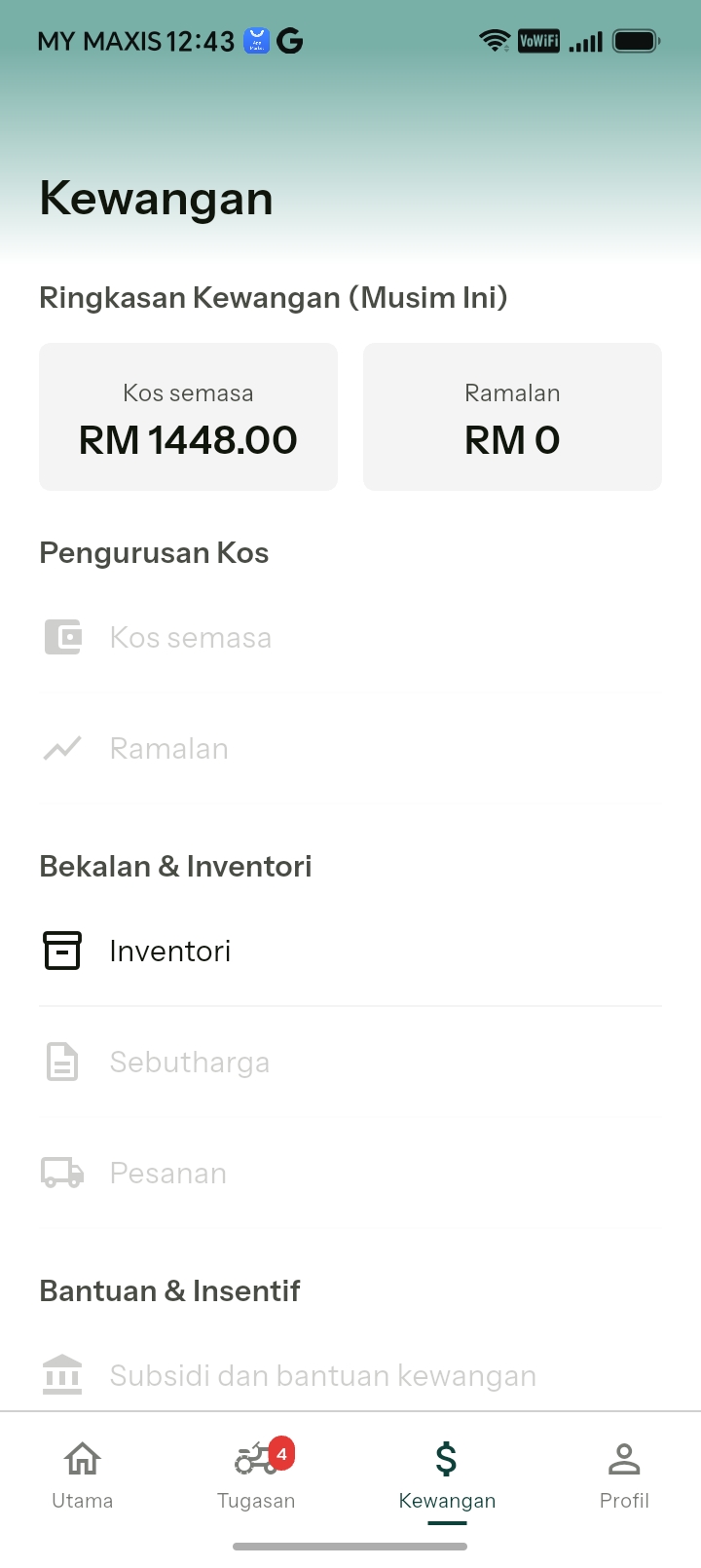
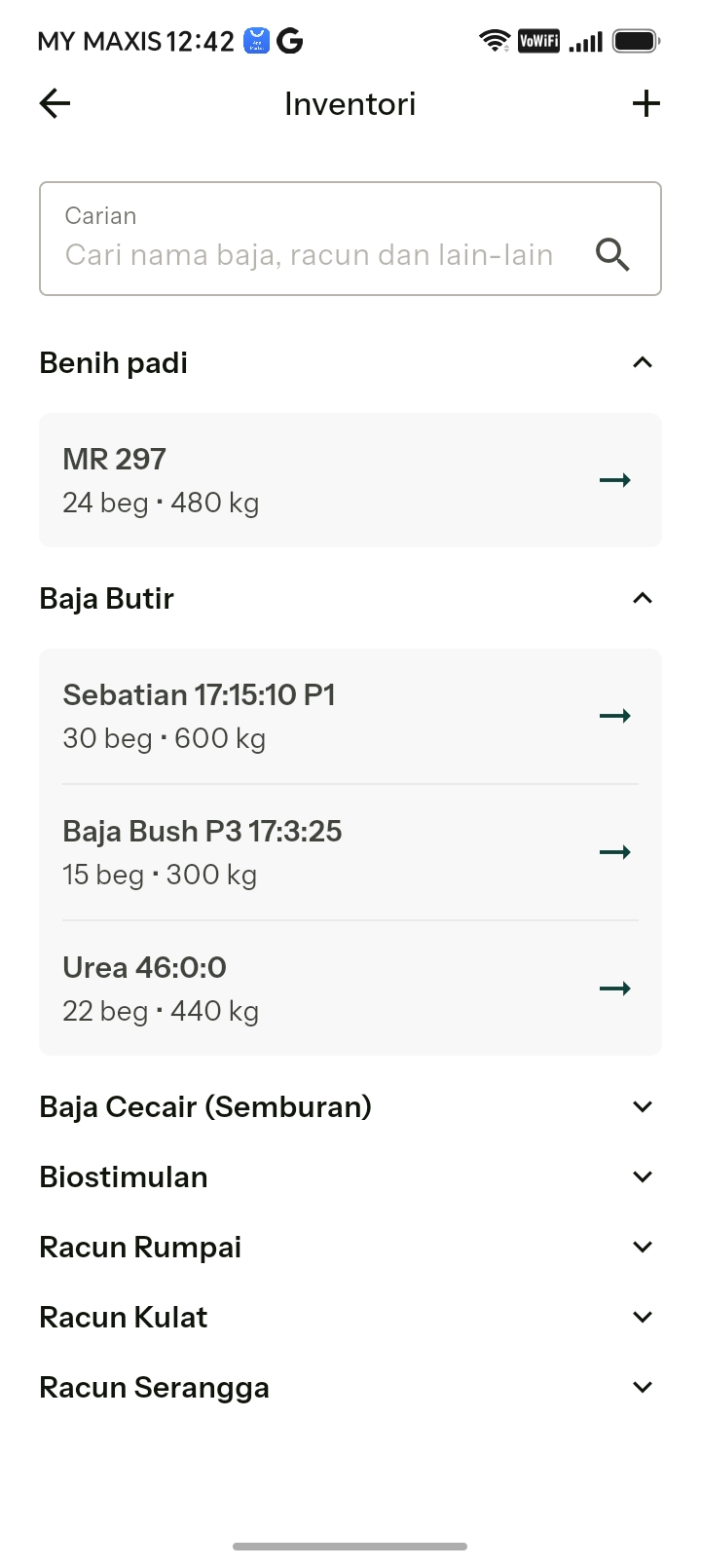
Keep track of costs and stock
Buku Padi has been designed to automatically keep track of all labour and input costs, to help you with your finances and identify areas for improvement in future seasons.
The current version has an inventory module to help you manage your purchases and stock, and calculate your material requirements for the coming season, month, or any period which better suits your cashflow.
In the very near future, more features will be added to this section to comprehensively cover all costs over a season of farming for each plot.
Setting up your inventory
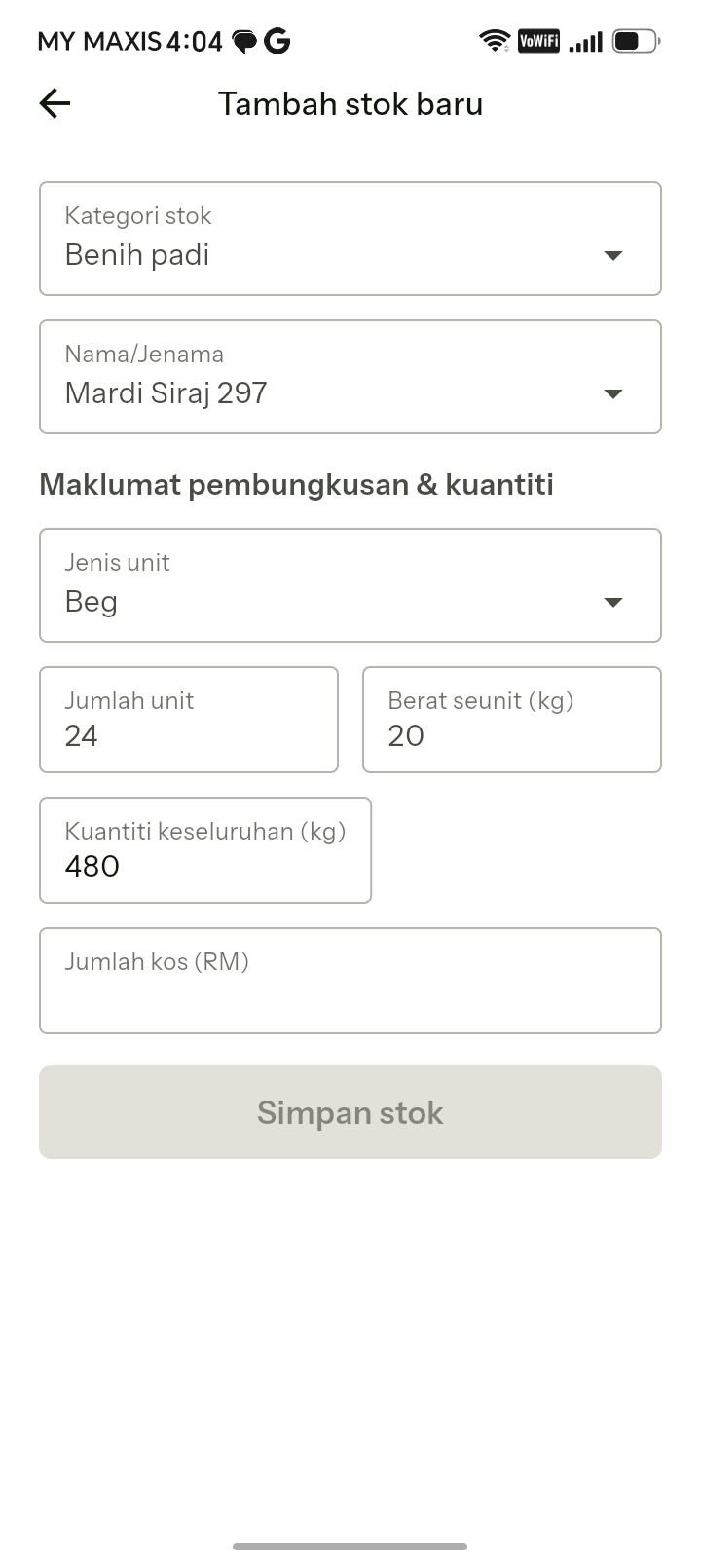
To get the best out of Buku Padi, it’s best to set up your inventory by adding what is already in your store. This way the app can calculate what you need in addition for all your upcoming tasks.
Example: you have 24 bags of MR297 seed in your store
Open Kewangan
Click on the Kewangan tab.
Open Inventori
Under Bekalan & Inventori, click on Inventori, then the “+” button at the top right.
Fill in the details
- In Category, select “Seed”
- In Name, select the variety
- Make sure the units are “Bags”
- Type in the number of units — in this case 24
- Make sure the weight per bag is correct — in this case 20 kg/bag
Save
The app calculates the total weight of seed you have — in this case 480 kg. You can add the total cost here too. Click save and you’re done. All the other items in your store can be added the same way.
To see details of items in stock, click the chevron to expand any section. This gives you a quick reminder of what you have — helpful when you are at a shop and want to buy new items.
FAQs
How much does it cost?
The single-user version of Buku Padi is free to download and use.
Which devices does it run on?
Buku Padi is multi-platform and multi-device. The single-user version is available on Android now; iOS is coming soon.
Can my whole organisation use it?
A multi-user version is coming soon. See For Farm Organisations for how clusters and cooperatives can work together.
What languages are supported?
Bahasa Malaysia and English.
Do I need an internet connection in the field?
Buku Padi is built for real farming conditions, where connectivity is not always reliable, so your records are captured at source and kept for future reference.
Who owns my data?
You do. Data is only shared with an organisation or a research body with your permission.